
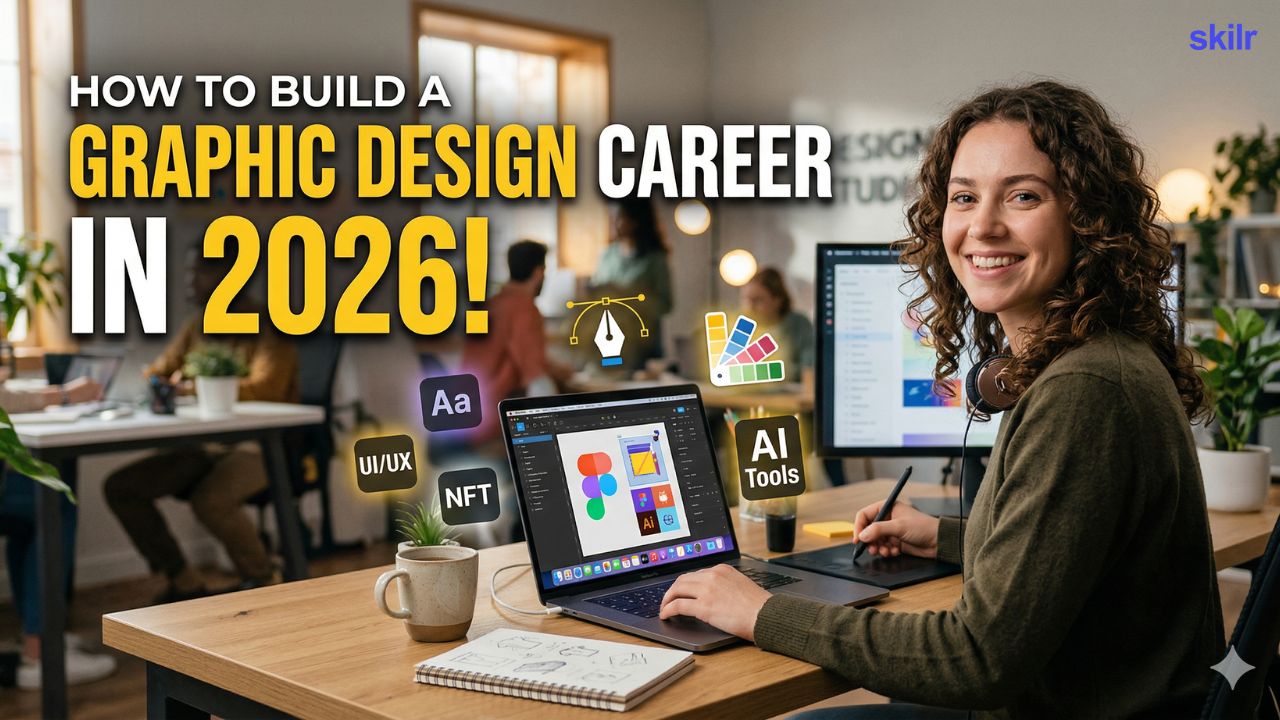
Graphic design in 2026 is not only about making things look attractive. It is about solving communication problems through visuals. Every brand, creator, startup, and company needs design to build trust, explain ideas quickly, and stand out in a crowded digital world. This is why graphic design continues to have strong demand across social media, marketing campaigns, websites, apps, presentations, packaging, and brand identity work.
At the same time, the field has changed. AI tools can speed up parts of the workflow, but they do not replace design fundamentals. Employers and clients still look for designers who understand typography, layout, colour, and visual hierarchy, and who can create consistent design systems that work across multiple formats. The designers who grow fastest are the ones who combine strong fundamentals with modern tools and a portfolio that shows clear thinking, not random visuals.
In this blog, you will learn what a graphic design career actually includes, how to choose a design path that fits your strengths, what skills and tools matter most in 2026, and a practical 6–24 month roadmap to become job-ready with a portfolio that can help you get internships, freelance work, or entry-level roles.
Target Audience
- This blog is for students, freshers, and early-career professionals who want to start a graphic design career in 2026 but are not sure what to learn first or how to build a portfolio that gets work.
- It is also for career switchers who want to move into a creative field with practical earning potential, and for freelancers or creators who want to improve their design skills to produce better content and attract better clients.
- If you want a structured roadmap, prefer learning by practising and building real projects, and want to create a portfolio that looks professional rather than random, this guide will fit you well.
Career as a Graphic Designer
Many people think graphic design means only logos or social media posts. In reality, graphic design is a wide field with multiple tracks. Each track has different types of work, different clients, and different portfolio requirements. When you understand these options clearly, choosing your direction becomes much easier.
1) Brand identity design
This track focuses on building how a brand looks and feels. It includes logos, colour palettes, typography choices, and basic brand guidelines so everything stays consistent across platforms.
Typical work includes: logo concepts, brand identity systems, guideline decks, mockups for stationery and brand assets.
2) Social media and marketing design
This is one of the most common entry routes because brands need content regularly. You design posts, carousels, stories, ad creatives, banners, and campaign visuals that grab attention quickly.
Typical work includes: campaign sets, carousel layouts, paid ad creatives, email banners, YouTube thumbnails.
3) UI visual design support (visual design for screens)
This is not full UI/UX, but it overlaps. You focus on clean layouts, icons, and visual consistency for websites and apps. It suits people who like structured, modern design.
Typical work includes: landing page visuals, app screens, icon sets, visual system improvements.
4) Print and packaging design
This track focuses on physical outputs like brochures, posters, book layouts, packaging, labels, and merchandise. It requires good layout skills and basic understanding of print specifications.
Typical work includes: posters, brochures, product labels, packaging mockups, print-ready files.
5) Presentation and pitch deck design
This is high-demand in 2026 because companies need strong storytelling in slides. Designers create corporate decks, startup pitch decks, reports, proposals, and one-pagers.
Typical work includes: pitch decks, report layouts, executive summaries, redesigning existing presentations.
6) Motion and multimedia basics (optional but valuable)
Motion design is not mandatory, but basic animation can increase your value. Many brands want animated posts, reels overlays, transitions, and moving visuals for digital content.
Typical work includes: animated social posts, motion templates, video overlays, simple logo animations.
How to choose your Learning Path?
If you try to learn everything in graphic design at once, you will feel stuck. The fastest way to grow is to choose one direction for the next 8–12 weeks, build skills for that direction, and create portfolio pieces that match it. Use this quick self-assessment to decide where you fit best.
Step 1: What type of work excites you most?
- If you enjoy building a full “look and feel” for a brand, you will fit well in brand identity design.
- If you enjoy fast-paced content and trends, you will fit well in social media and marketing design.
- If you enjoy clean digital layouts and structure, you will fit well in UI visual design support.
- If you enjoy designing physical products and print outputs, you will fit well in print and packaging design.
- If you enjoy structured storytelling and slide design, you will fit well in presentation and pitch deck design.
- If you enjoy movement and animation, you will fit well in motion and multimedia design.
Step 2: What kind of workflow do you prefer?
- If you like long, detailed projects with deep thinking, choose brand identity, packaging, or decks.
- If you like quick execution and frequent output, choose social media and marketing design.
- If you like systems, grids, and consistency, choose UI visual design support.
Step 3: How do you want to start as a beginner?
- If you want faster freelancing opportunities, social media design and presentation design are often easier to start with.
- If you want long-term brand work, start building brand identity case studies early.
- If you want digital-first jobs, build UI visuals and clean layouts, even if you are not doing full UI/UX.
Step 4: Pick one main track (and one secondary track)
- Choose one main track for focus, and keep one secondary track as a backup. This keeps your learning focused while still giving you flexibility.
Graphic Designer Skills Required
In 2026, graphic design hiring is portfolio-driven. Employers and clients do not hire you because you know a tool. They hire you because your work looks professional, communicates clearly, and stays consistent across formats. A strong designer understands fundamentals, thinks in terms of brand and audience, and can deliver clean files on time.
Core design fundamentals (non-negotiable)
- Typography: You should know how to create hierarchy with font size, weight, spacing, and line length. Good typography improves readability and makes your design feel premium.
- Layout and composition: You should be comfortable using grids, alignment, spacing, and balance so your designs look clean and intentional, not random.
- Colour and contrast: You should know how to choose colours that suit the brand tone and create clear contrast so the message remains visible and accessible.
- Visual hierarchy: You should know how to guide attention. A viewer should understand what the design is about in a few seconds.
- Consistency: You should be able to maintain the same visual language across multiple assets, such as a full social media campaign, brand set, or presentation.
Brand and communication thinking
- A designer’s job is to communicate, not decorate. Hiring managers look for designers who can understand the purpose of a design, the target audience, and the brand tone, and then convert that into visuals that feel coherent. Even simple designs should show clarity: what is the message, who is it for, and what should the viewer do next.
Tools you should be confident with
- Figma has become essential for modern layout work because it supports clean grids, reusable components, and fast iteration. Illustrator is important for logo design, vectors, and icon work. Photoshop helps with image editing, mockups, and composites. InDesign is valuable for multi-page work such as brochures, reports, and presentations. Canva is useful for speed and social templates, but it should support your work, not replace fundamentals.
AI tools as workflow support (not as a shortcut)
AI can help you explore ideas faster and speed up repetitive tasks, but it cannot replace design judgment. In 2026, designers who use AI well are the ones who still control typography, layout, spacing, and brand consistency. AI should help you work faster, not reduce the quality of thinking behind the design.
Professional skills that make you easy to hire
- Good designers are reliable. You should be comfortable working from a brief, asking the right questions before starting, and handling feedback with maturity. File organisation, version control, correct export formats, and clean handoffs are practical skills that matter in real jobs. Just as importantly, you should be able to explain your choices in simple language, because strong design is easier to approve when the rationale is clear.
Learning Roadmap (from beginner to job-ready)
Graphic design rewards consistency more than speed. If you practise regularly and build portfolio pieces with clear thinking, you can become job-ready within 6–24 months. The roadmap below is structured so you build fundamentals first, then tools, then portfolio proof, and finally paid work.
Phase 1 (Weeks 1–4): Build fundamentals and a daily practice habit
- In the first month, your goal is to improve your eye for design and gain control over basic layout and typography. Start with design principles like alignment, spacing, hierarchy, contrast, and grids. Recreate good designs you see online to learn accuracy and build taste. Keep practice simple and consistent rather than trying to do big projects too early.
- Deliverable: 10 small designs (posters, social posts, simple banners) that show clean typography and good spacing.
Phase 2 (Months 2–3): Tool mastery + small portfolio pieces
- Now you should become confident with modern tools and start building small case studies. Learn Figma properly for layout and design systems basics. Add one Adobe tool based on your interest: Illustrator for logos and vectors, Photoshop for images and mockups, or InDesign for multi-page layouts. Start creating work that looks like real client output, such as a mini brand kit and a small campaign set.
- Deliverable: 3 mini case studies (for example: one brand identity starter kit, one social campaign set, one poster or brochure layout).
Phase 3 (Months 4–6): Pick a niche and build a flagship portfolio
- This phase is where you start standing out. Choose one main track (brand identity, social media, UI visuals, packaging, or decks) and build deeper, better work in that direction. Create projects that look realistic, with a clear brief, process, and final outputs. Focus on quality over quantity.
- Deliverable: 5–6 portfolio-ready projects, including at least 2 strong case studies that show your thinking and consistency.
Phase 4 (Months 7–12): Start getting paid work or entry roles
- Now you shift from learning to earning. Create a portfolio on Behance or a simple website, and present your work as case studies, not random visuals. Start with small freelance projects, internships, or junior roles. Reach out to small businesses, creators, and agencies with a short message and a link to your best project. Keep improving your portfolio with every real brief and feedback cycle.
- Deliverable: first paid project or internship, plus a portfolio that clearly shows your niche.
Phase 5 (Months 13–24): Grow, specialise, and increase your value
- Once you start working, growth comes from specialising, improving speed, and becoming reliable. Build systems for your workflow (templates, grids, style libraries), learn how to handle clients professionally, and position yourself for higher-value work. Over time, you can increase pricing, move into better roles, or specialise in areas like brand systems, pitch decks, or digital design.
- Deliverable: a strong niche identity, consistent client work, and a portfolio that supports higher rates or better job opportunities.
Portfolio Projects to help you get Hired
In graphic design, your portfolio is your strongest proof. Employers and clients want to see whether you can solve real communication problems, maintain consistency, and present your work professionally. A strong portfolio is not a collection of random designs. It is a small set of well-explained projects that show your thinking, process, and final output.
1) Brand identity case study (highly recommended)
- Create a brand identity for a realistic business idea such as a café, salon, clothing brand, fitness studio, or skincare label.
- Include: logo variations, colour palette, typography choices, brand icons/patterns, and 6–10 mockups (business card, packaging label, social posts, signage).
- What this proves: your ability to build a consistent visual system.
2) Social media campaign set (great for freelancing and entry roles)
- Create a full campaign set for a product launch or event.
- Include: 6–10 Instagram posts, 3–5 stories, 2 ad creatives, and one carousel design.
- What this proves: speed, consistency, and marketing communication.
3) Pitch deck or presentation redesign (high-demand in 2026)
- Take an existing pitch deck (or create one for a fictional startup) and redesign 10–12 slides with a clean visual system.
- Include: cover slide, agenda, problem, solution, market, traction, business model, and closing slide.
- What this proves: structured storytelling, layout skills, and professional polish.
4) Packaging and label concept (strong for print-focused designers)
- Design packaging for a product such as tea, coffee, cosmetics, snacks, or supplements.
- Include: label design, front/back layout, required information placement, and 3D mockups.
- What this proves: print layout discipline and real-world design thinking.
5) UI visual set (digital-first portfolio piece)
- Design a landing page and 3–4 supporting sections (features, testimonials, pricing, contact) for a brand.
- Include: consistent typography, spacing, buttons, icons, and a simple component style.
- What this proves: modern digital layout skill and visual consistency.
6) Poster + brochure set (classic fundamentals project)
- Create a poster for an event and a supporting brochure layout (2–4 pages).
- Include: grid usage, strong hierarchy, readability, and print-ready export awareness.
- What this proves: typography, composition, and multi-format thinking.
What every portfolio project must include (non-negotiable)
- Brief: one short paragraph describing the client, audience, and goal
- Process: moodboard or inspiration direction (even a small one)
- Design rationale: why you chose those colours, fonts, and layout style
- Final outputs: mockups and real-use examples
- Consistency: show how the same style works across different formats
If you build 5–6 projects in this structure, your portfolio will look like professional work and your chances of getting internships, freelance clients, or junior roles will increase significantly.
How to get your first design work in 2026?
Getting your first design work is not about waiting for the “perfect job.” It is about making it easy for people to trust you. In design, trust comes from visible work, clear communication, and reliability. You need a simple system to show your portfolio, reach out to the right people, and consistently pitch your skills.
1) Set up your portfolio the right way
Your portfolio should be easy to view and easy to understand. Use Behance or a simple portfolio website, and present your work as case studies, not just images. For each project, include the brief, your design approach, and the final outputs. Even if you are a beginner, a well-presented case study feels professional.
2) Start with small, real briefs (do not wait for big clients)
Your first paid work often comes from small businesses, creators, local brands, and startups. Offer simple services that are easy to deliver, such as:
- social media post packs
- logo refresh or mini brand kit
- menu or brochure design
- presentation redesign
- posters and event creatives
Small briefs build your confidence and your portfolio quickly.
3) Use a simple outreach method that you can repeat weekly
Pick a niche (for example: social media design for salons, decks for coaches, branding for cafés). Then reach out to 10–15 people per week with a short message and one strong portfolio link. Your message should be polite and specific: what you do, who you help, and what you can deliver.
4) Apply to internships and junior roles with a focused portfolio
For entry-level roles, companies care about fundamentals and consistency. Apply to internships and junior design roles, but tailor your portfolio to the job type. If the role is social media design, lead with campaign sets. If it is branding, lead with brand identity case studies. If it is deck design, lead with presentation work.
5) Post your work consistently to build visibility
In 2026, visibility helps. Post redesigns, case studies, and before/after transformations on LinkedIn and Instagram. Consistent posting makes it easier for people to discover your work and message you for opportunities.
6) Make yourself easy to work with (this is a major advantage)
Reply on time, confirm deadlines, share drafts early, and accept feedback calmly. Many clients choose a slightly less skilled designer who is reliable over a talented designer who is inconsistent.
If you combine a clear portfolio with weekly outreach and consistent posting, you can start getting your first design opportunities faster than you expect.
Conclusion
Building a career in graphic design in 2026 is less about talent and more about consistency, fundamentals, and proof of work. The designers who grow fastest are the ones who understand typography, layout, spacing, and visual hierarchy, and then apply these skills across real formats like social media, brand identity, presentations, packaging, and digital layouts.
If you follow the roadmap in this blog, your path becomes clear. Start by strengthening fundamentals, learn modern tools like Figma and at least one Adobe tool, and build a portfolio that shows complete case studies rather than random designs. Then focus on getting real briefs through small freelance work, internships, or junior roles, and improve your portfolio with every project you deliver.